A health message arrives.
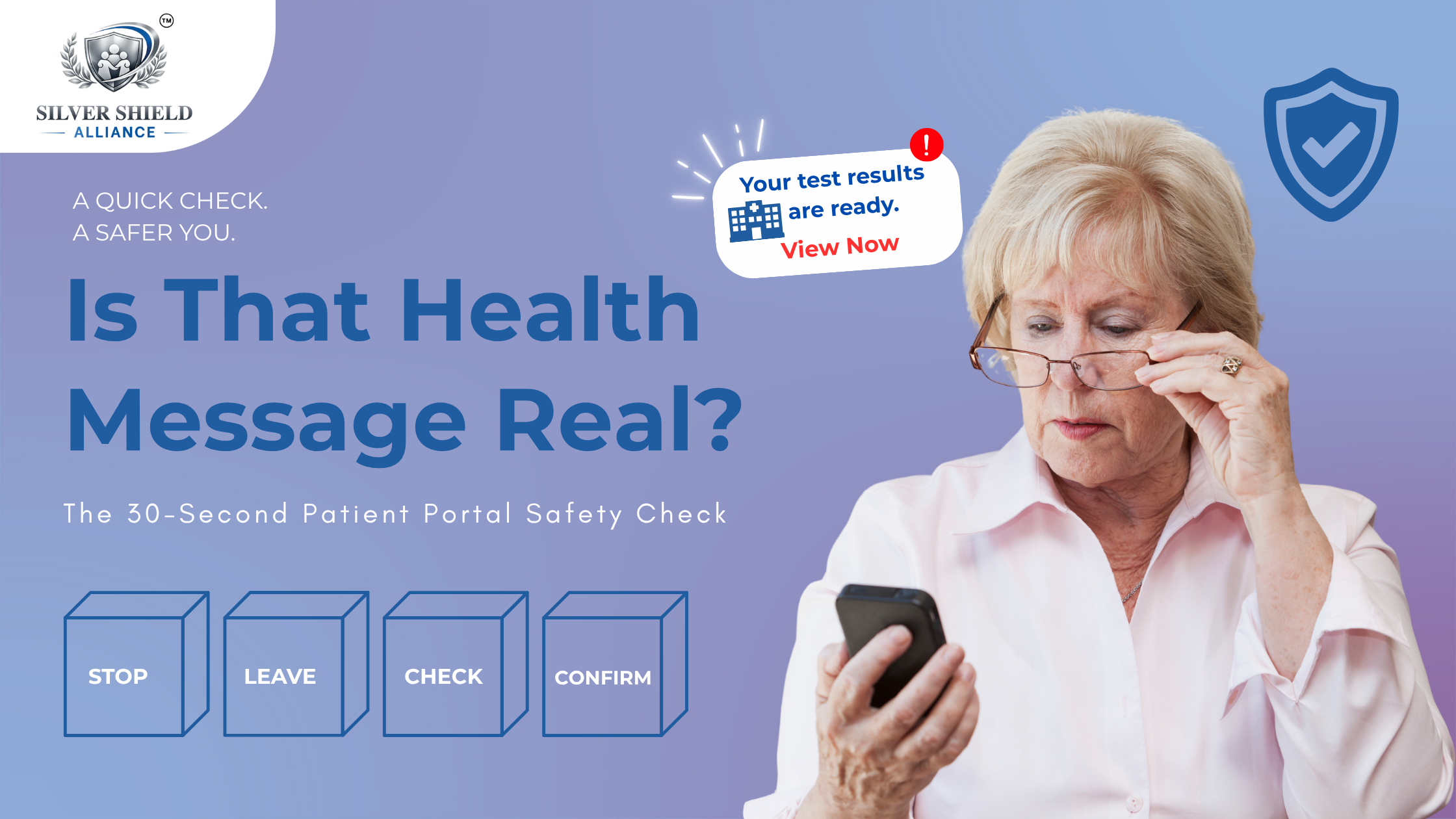
Your test results are ready. View now.
The hospital name looks right.
The logo looks familiar.
The message sounds professional.
So, should you click?
Here is the problem with that question:
A message can look real and still be fake.
Today, scammers can imitate familiar healthcare emails, patient portals, Medicare messages, and even MyChart-style pages surprisingly well.
So the safest digital health habit is changing.
Instead of asking: “Does this look legitimate?”
Ask: “Can I verify this somewhere I already trust?”
That one question can make patient portal safety much simpler.
The Patient Portal Has Become Part of Everyday Healthcare
Patient portals are incredibly useful.
We use them to check test results, book appointments, message doctors, review prescriptions, pay bills, and manage insurance information.
But familiarity creates another challenge.
When we regularly receive healthcare notifications, clicking can become automatic.
That is exactly why patient portal scams targeting seniors can be difficult to recognize.
A convincing message does not always need to look suspicious.
Sometimes it only needs to look routine.
Try the 30-Second Patient Portal Check
Before clicking a healthcare message, follow one simple sequence:
STOP
Do not react immediately, even if the message sounds urgent.
LEAVE
Close the email or text instead of using the link inside it.
OPEN
Open your healthcare provider's official app or type the website you normally use.
CHECK
Look for the same test result, appointment, bill, prescription, or notification inside your account.
CONFIRM
If you cannot find it, contact the healthcare provider through a phone number or website you already know.
That is it.
You do not need to become an expert in identifying every new MyChart scam, Medicare impersonation attempt, or healthcare phishing technique.
You simply need a reliable way to verify what is real.
The Message Is Not the Source of Truth
This is the mindset worth remembering.
Never use a questionable message to prove that the same message is legitimate.
If an email says your laboratory results are ready, check your normal patient portal.
If a text says Medicare needs information, visit Medicare through the official channel you already use.
If a hospital payment request seems unusual, open the hospital's billing portal independently.
Think of it as using a second door.
The message may invite you in through one door.
You verify through another.
Three Moments When You Should Slow Down
Pay extra attention when a healthcare message asks you to:
Share something sensitive
Such as your Medicare number, password, Social Security number, insurance information, banking details, or verification code.
Act immediately
Messages such as “coverage expires today” or “urgent test result” can make people react before checking.
Download something unfamiliar
A normal medical result should not require mysterious software, unusual computer commands, or bypassing a security warning.
The goal is not to distrust healthcare technology.
It is to use it with better judgment.
For Caregivers, Confidence Matters More Than Control
Families often tell an older parent:
“Don't click anything. Send it to me first.”
That may help today.
But a better long-term approach is to teach one repeatable question:
“Where could we check this if this message had never arrived?”
That question builds confidence instead of dependence.
And confidence matters because digital healthcare is not disappearing.
It is becoming part of everyday life.
The Safest Click May Start Somewhere Else
Scammers may be able to copy a logo.
They may copy a hospital's colors.
They may imitate a portal login screen.
They may even write a very convincing healthcare message.
But they do not control the trusted healthcare app that you open yourself.
So before the next health notification gets your attention, remember:
Don't ask only whether it looks real.
Ask whether you can verify it independently.
At Silver Shield Alliance, we believe digital safety should not make older adults afraid of technology. It should give people practical habits that help them use technology with greater confidence.
Because safer digital healthcare is not about clicking less.
It is about knowing what to check before you click.
Quick Answer
How can seniors check whether a patient portal message is real?
Open the healthcare provider's official app or website independently and see whether the same message, appointment, bill, or result appears there. Avoid verifying healthcare information through links inside unexpected emails or texts.